Cadenza
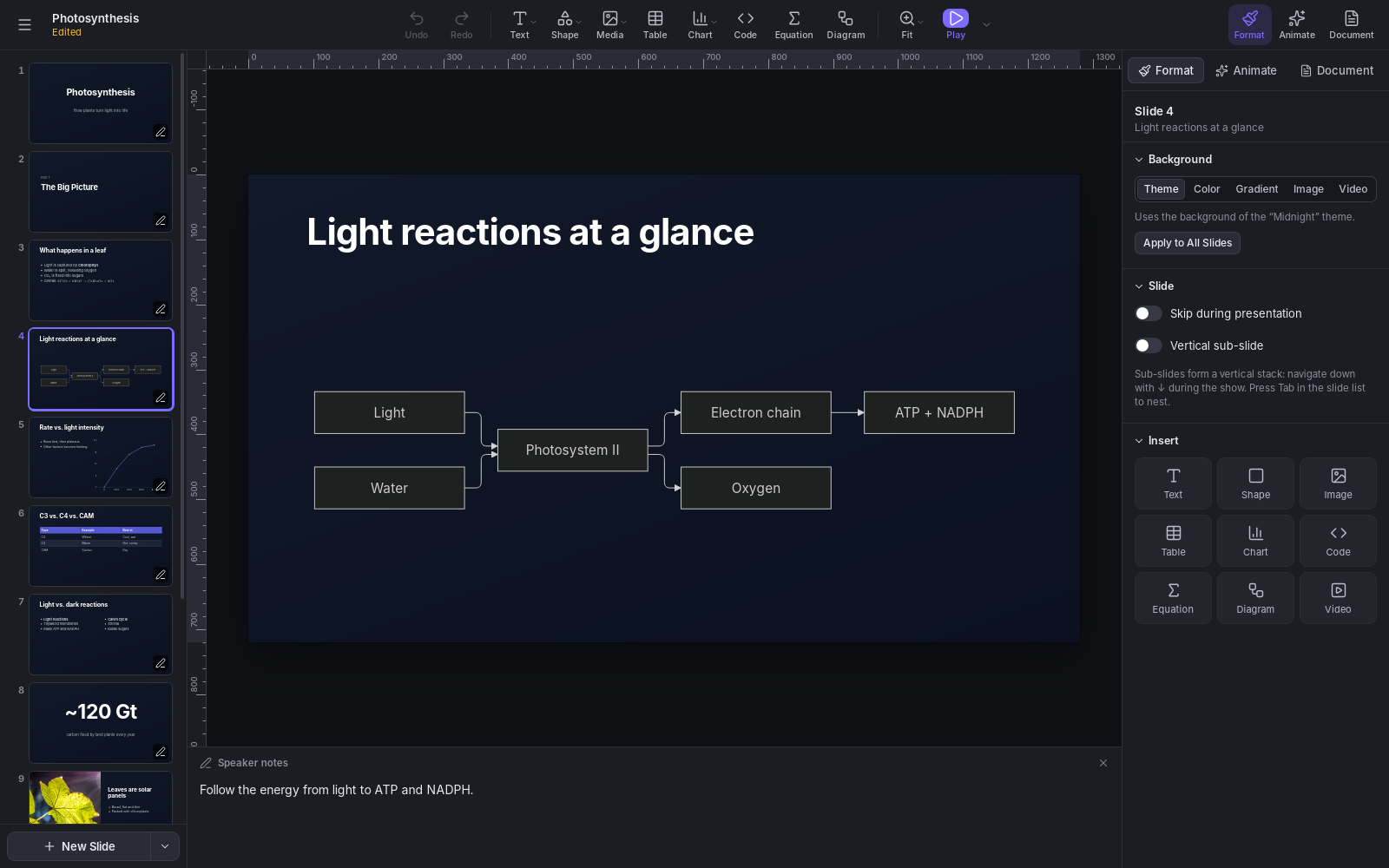
Cadenza is a presentation app in the spirit of Keynote and PowerPoint, built on reveal.js. You build slides from ready-made layouts, themes, charts, diagrams and equations, present them full screen with a presenter display, and export the result as a web page or PDF.
It runs on Linux, macOS and Windows, works offline, and keeps each presentation in a single file with its images, videos and fonts. It is open source, written in Rust with Tauri, and released under the MIT License.
Download
Version 0.2.0, released October 13, 2026 (what’s new · earlier versions).
| System | Download |
|---|---|
| Windows 10 and 11 | Installer (.exe) · MSI package |
| macOS 12 or newer (Apple Silicon and Intel) | Disk image (.dmg) |
| Ubuntu, Debian and derivatives | .deb package |
| Fedora and openSUSE | .rpm package |
| Any Linux | AppImage |
Installing
- Windows: run the installer. It installs Microsoft WebView2 if needed.
- macOS: open the
.dmgfile and drag Cadenza to the Applications folder. - Linux: install the package from a terminal, in the folder you downloaded it to. The AppImage needs no installation: make it executable and run it.
sudo apt install ./Cadenza_0.2.0_amd64.deb         # Ubuntu, Debian
sudo dnf install ./Cadenza-0.2.0-1.x86_64.rpm      # Fedora
sudo zypper install ./Cadenza-0.2.0-1.x86_64.rpm   # openSUSE
chmod +x Cadenza_0.2.0_amd64.AppImage              # AppImage
The Linux and Windows versions are 64-bit (x86-64). The .deb and .rpm packages need WebKitGTK 4.1, which comes with Ubuntu 22.04, Debian 12, Fedora 37 and newer.
The first time you open it
The installers aren’t code-signed yet, so your system asks you to confirm:
- Windows: SmartScreen may warn that the app isn’t recognized. Click More info ▸ Run anyway.
- macOS: macOS says it can’t verify the app. Open System Settings ▸ Privacy & Security, scroll down to the message about Cadenza and click Open Anyway. You only need to do this once per version.
Features
Editing
- Twelve slide layouts (title, section, two columns, quote, big number, code and more), with text, shapes, images, video, tables, charts, code, equations and diagrams.
- Column, bar, line, area, pie and donut charts, edited in a data grid and drawn as SVG.
- Code with syntax highlighting, line numbers and step-by-step line highlights.
- LaTeX equations with KaTeX, as objects or inside any text:
$e^{i\pi}+1=0$. - Mermaid diagrams: flowcharts, sequence diagrams, timelines, mind maps and more.
- Rulers, draggable guides, smart guides and a snapping grid.
- Undo and redo for everything, a command palette (Ctrl+K, or ⌘K on a Mac) and keyboard shortcuts for all common actions.
Design
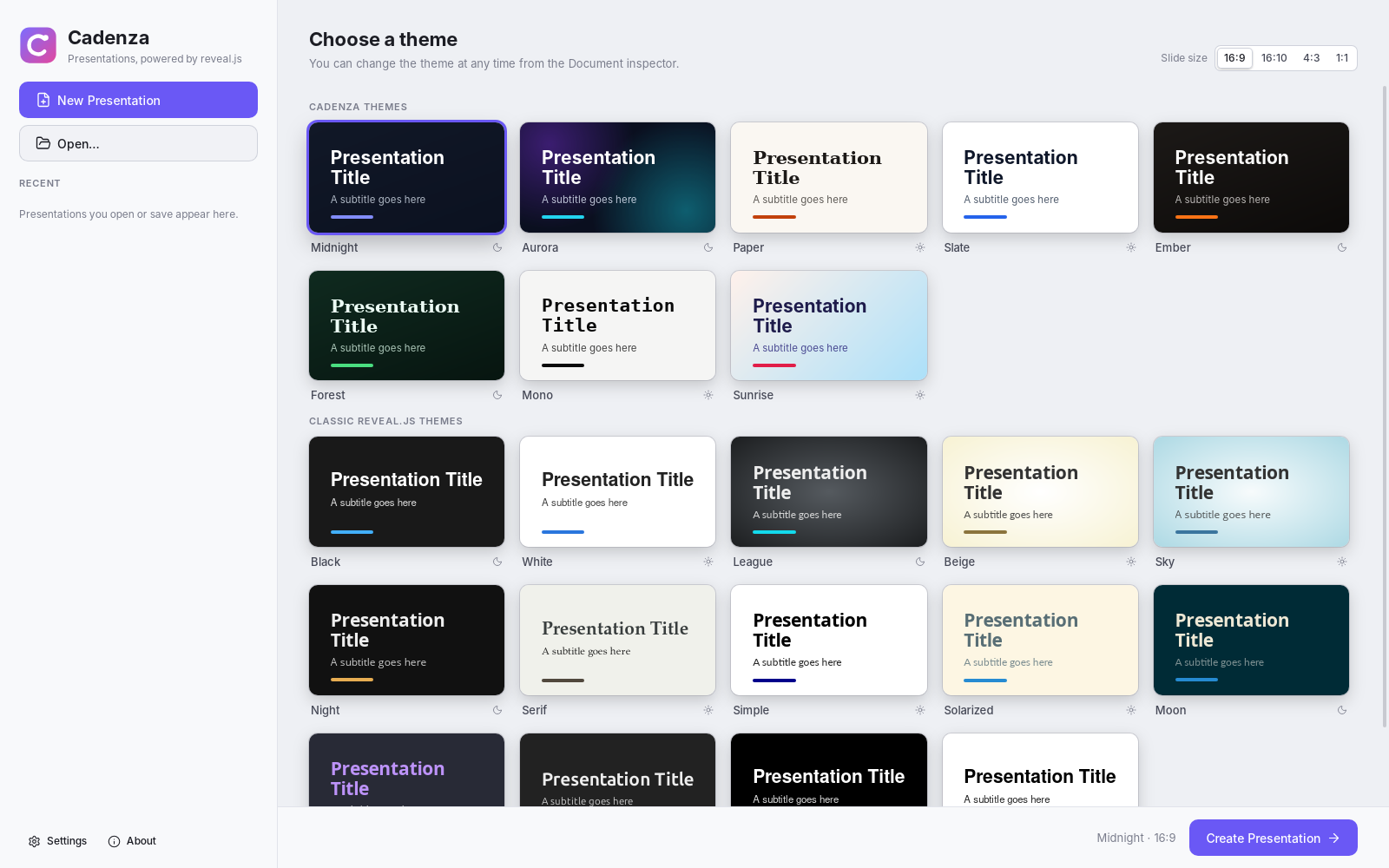
- 22 themes: 8 made for Cadenza plus the classic reveal.js themes.
- A Theme Builder to make your own and share them as
.cadenza-themefiles (fonts included) or export them as reveal.js CSS. - Every Google Fonts family, searchable even offline. The fonts you pick are embedded in the presentation, so it looks the same on any computer.
- Step-by-step builds, slide transitions and Magic Move (reveal.js auto-animate).
- Per-presentation custom CSS for anything else.
Media
- A Media Library with openly licensed photos and GIFs from Openverse, plus Unsplash and GIPHY with a free API key.
- YouTube and Vimeo videos: browse the sites as usual and click Insert this video, or just paste a link. No key needed.
Presenting and sharing
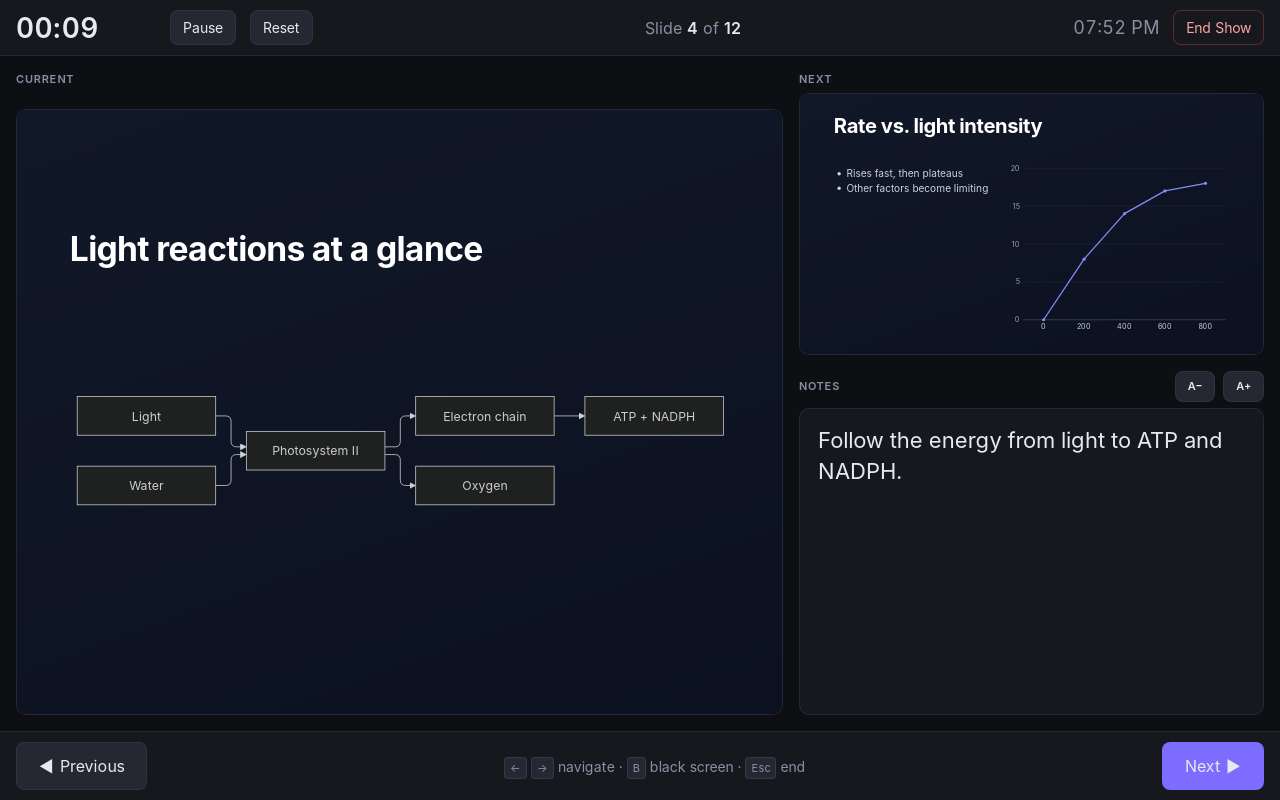
- Full-screen shows with a presenter display: speaker notes, timer, clock and the next slide. With two screens, the audience sees the slides on one while you see the presenter display on the other.
- Vertical sub-slides, skipped slides and auto-advance.
- Export to a web page, either as a folder for any web server or as a single
.htmlfile, or print to PDF. - Import reveal.js-style Markdown.
- Recovery of unsaved work after a crash.
Languages
The interface is available in Arabic, Bengali, Chinese (Simplified), Dutch, English, French, German, Hindi, Italian, Japanese, Polish, Portuguese, Portuguese (Brazil), Russian, Spanish and Turkish. English is the default; change it in Settings ▸ Language.
Privacy
Cadenza works fully offline. Online features (Google Fonts downloads, the Media Library and video previews) contact a service only when you use them. API keys are stored in your system’s credential store (Secret Service on Linux, Keychain on macOS, Credential Manager on Windows) and are never saved inside presentations.
Files
.cadenza: a presentation, stored as a zip archive withdeck.jsonand the media and fonts it uses..cadenza-theme: a theme from the Theme Builder (JSON, with its fonts embedded).
Source code
Cadenza’s source code is on GitHub, along with instructions for building from source, the changelog and the contribution guide. Bug reports, suggestions and translations are welcome in the issues.
Cadenza is released under the MIT License. It includes reveal.js, KaTeX, Mermaid, highlight.js, Preact, htm and Lucide icons, each under its own license.